Homesets - a self-initiated macOS app, born from a personal product requirement.
My role
I undertook all aspects of this project: identifying the problem, defining how the product should behave, shaping the interface in Figma, and building a functioning macOS app in SwiftUI. The aim was twofold — to create something I genuinely wanted to use every day, and to discover a practical path from product idea toward something production-ready, without a traditional engineering team behind me.
HomeSets helps organise YouTube workout links into three deliberate layers: Workout Sets (curated collections by muscle group, style, or preference), Weekly Plans (Monday–Sunday templates with colour-coded days), and a Calendar (attach plans to real weeks, track what’s done, and play videos in-app). The app is intentionally manual — it organises workouts without recommending exercises or giving fitness advice.
Development leaned on Cursor for iterative implementation, Xcode for building and local version control, and GitHub for checkpointing progress. UI intent was explored in Figma and adapted into a dark-mode native interface with a high-visibility accent and SF Symbol–based patterns.
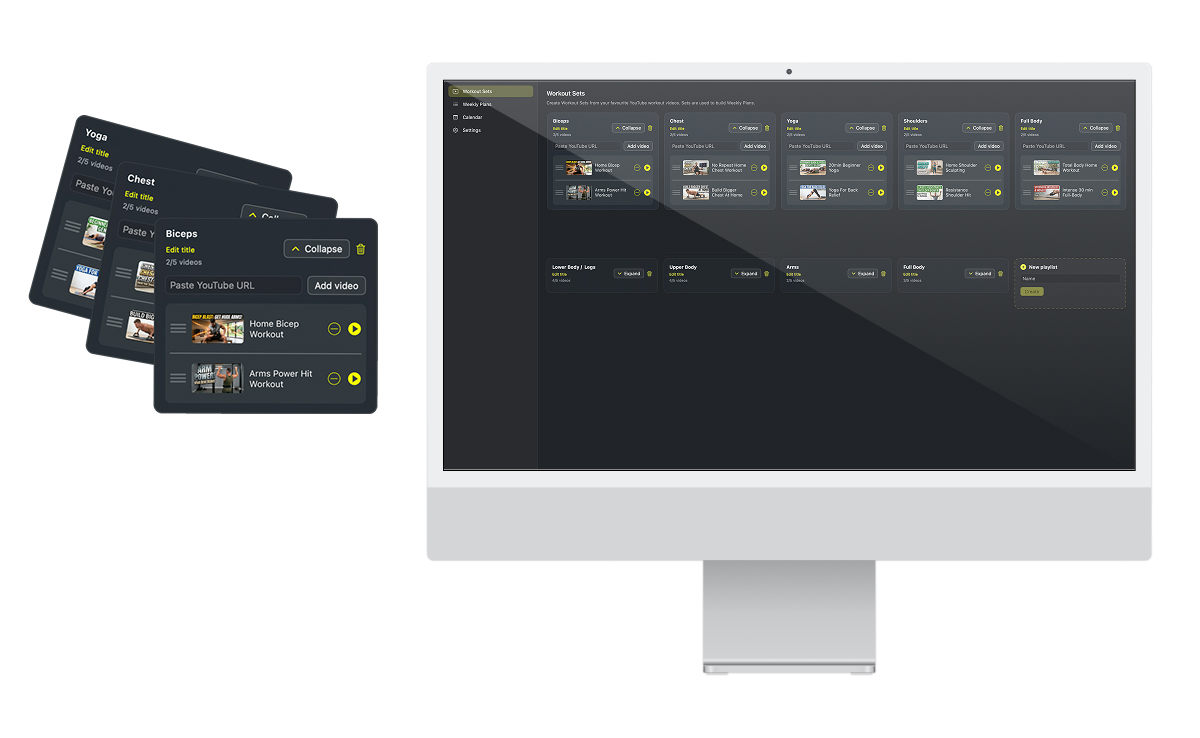
Adding YouTube workout URLs to create Workout Sets, to add to Playlists.
Outcomes
Built a working macOS app from concept through to a private build I use daily
Continued refining features and interaction detail ahead of a planned Mac App Store release
Validated a Cursor → Xcode → GitHub workflow for solo product design and development
Addressed a personal frustration: YouTube’s playlists are awkward to group and navigate, with no sensible way to schedule videos on a calendar or track completion over time
Kept scope honest with clear product rules — progressive feature gating, playlist-level completion, and locked history for past scheduled days
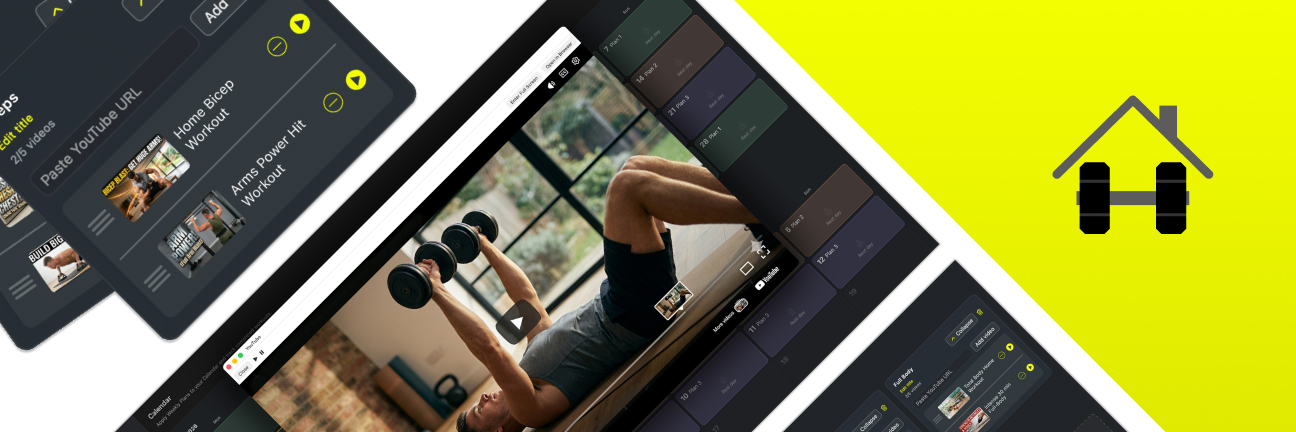
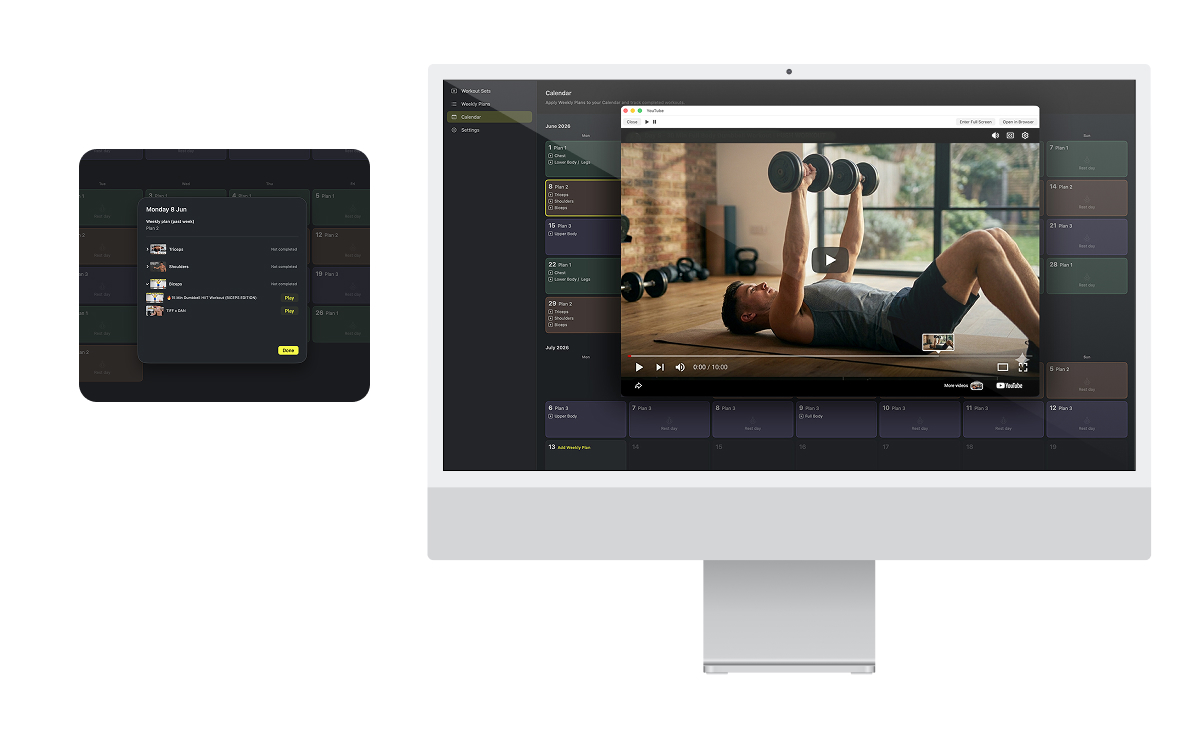
Calendar day view with playlist completion and in-app video playback.
If you have the time, you can read more on this showcase.
Like many people, I rely on YouTube for home workouts — but I kept hitting the same wall. YouTube’s playlist feature is difficult to navigate and group the way I actually train. Saving videos by muscle group or session type feels clunky, playlists don’t naturally map to a week’s structure, and there’s no way to add those videos to a calendar and see what I’ve done versus what’s still ahead.
HomeSets began as a personal answer: a lightweight tool between “saved YouTube links” and a real training diary. It was also a deliberate experiment — could I take a concept from idea to something release-ready by pairing structured product thinking with Cursor as a development partner, while keeping the story and user experience at the centre?
Objectives
Create a product I wanted that didn’t exist — organise pasted YouTube workout links into sets, weekly templates, and a calendar, without becoming another fitness content platform
Explore a new app development process — moving from problem framing → product rules → Figma UI exploration → SwiftUI build → local persistence and in-app playback
Work within real constraints — no YouTube Data API key, no accounts or cloud sync in v1, no algorithmic workout recommendations
Design for clarity — a strict user flow (Sets → Plans → Calendar), sections that unlock as the user builds content, and immutable history once days are in the past
Adapt UI from Figma into native macOS — dark surfaces, pastel plan colours on the calendar, accent-driven calls to action, and patterns that feel at home on the Mac
Users can create multiple Playlists and add them to the Calendar.
Incorporated processes
Discovery & definition — Framed the problem around YouTube playlist limitations; identified the gap between curation, weekly structure, and calendar scheduling
Product modelling — Defined caps, gating rules, Monday-anchored week assignment, playlist-level completion, and snapshot behaviour for past days
UI design (Figma) — Sidebar navigation, Workout Set cards, weekly plan editor, calendar grid and day sheet; design tokens including accent #F3FE00 and pastel plan presets
AI-assisted build (Cursor) — Feature implementation, JSON persistence, YouTube metadata (LinkPresentation + oEmbed fallback), calendar logic, and in-app video playback
Engineering workflow — Cursor edits → Xcode review and commit → GitHub push; small, frequent commits as MVP checkpoints
Testing — Daily personal use surfacing bugs & enhancment opportunities ahead of App Store submission
Promotion — Creation of a promotional site, detailing the advantages of HomeSets
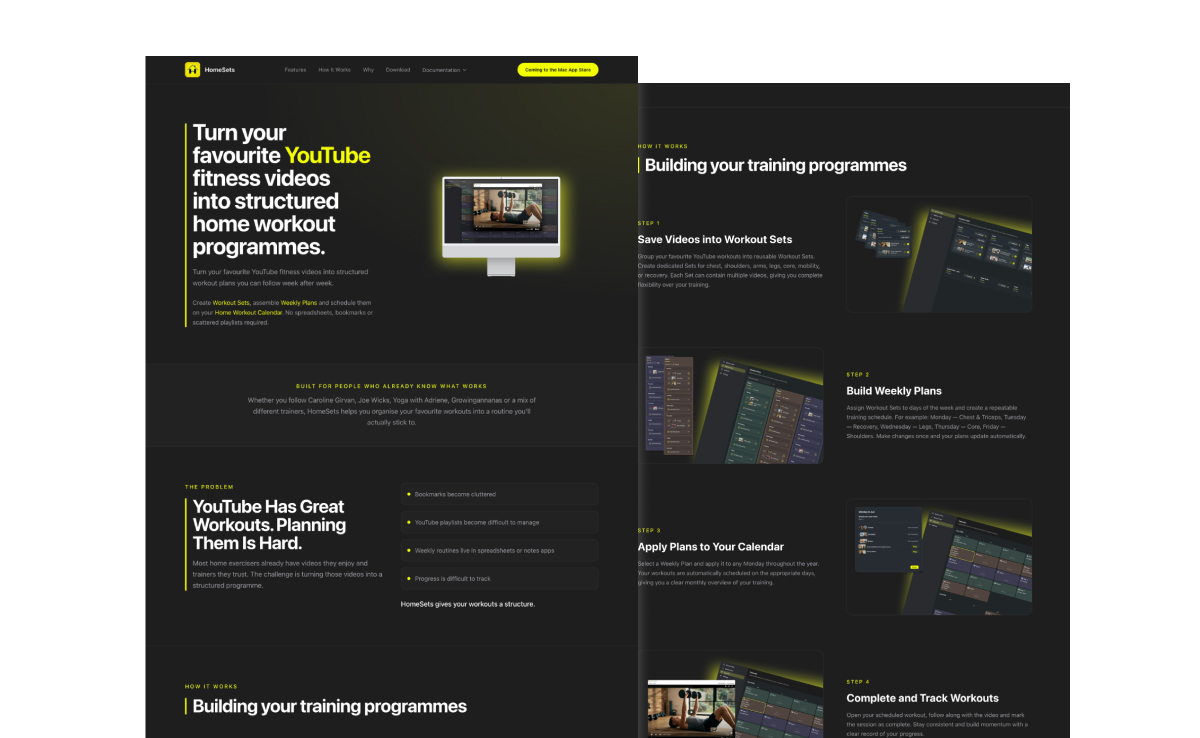
I created a promotional site with Cursor, using the context of the HomeSets app build.
The product in brief
Workout Sets
Paste YouTube links into named sets — legs, core, yoga, or whatever grouping suits you. Metadata and thumbnails resolve automatically, with no API key required.
Weekly Plans
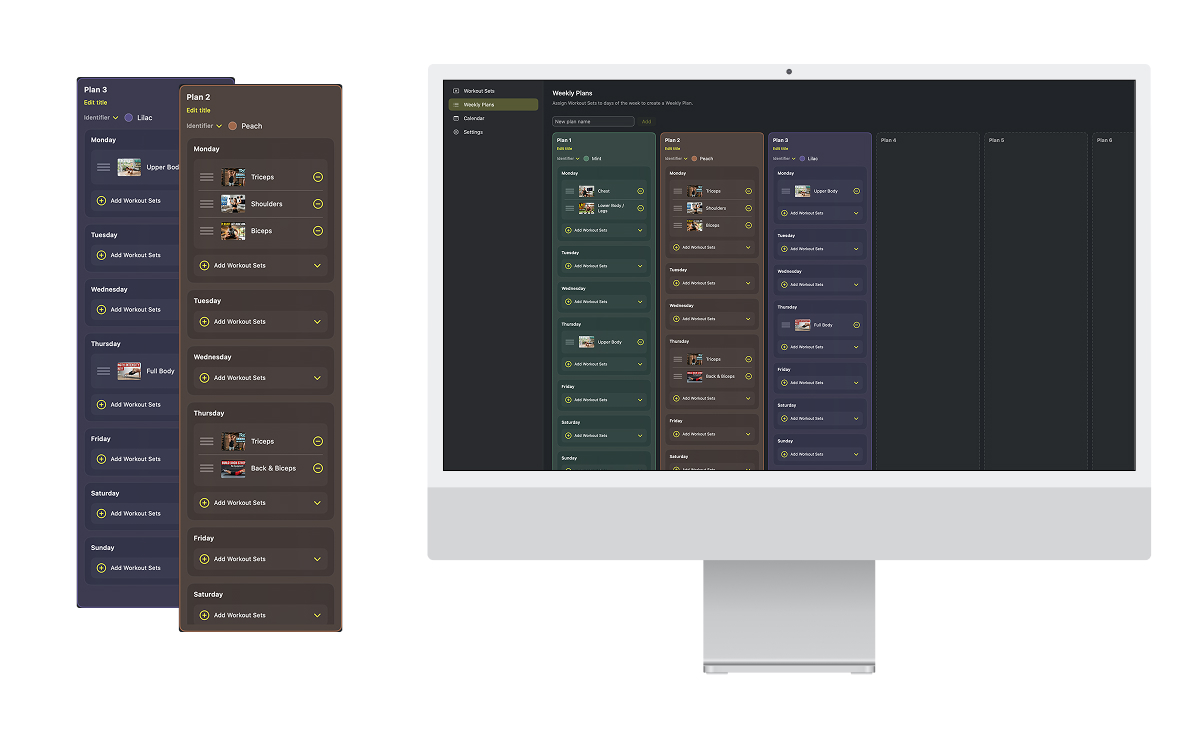
Build Monday–Sunday templates: assign sets to training days, leave days empty for rest, and colour-code each plan so the calendar stays scannable at a glance.
Calendar
Attach one weekly plan per week from Monday onward. Open any day to see that day’s sets, mark playlists complete, and play videos in a dedicated in-app window. Past weeks lock in place — schedule and completion history stay honest.
 Project details